
So you just customized the cutest baby shower invitation on Creative Fabrica. Or maybe it’s a printable planner you actually want to use. Or wall art for your nursery that speaks to your soul.
But there’s one little problem:
Your printer? Not exactly up for the job.
Ink is streaky, colors look sad, and cardstock? Forget it.
Good news: You don’t need a fancy printer to bring your Canva + Creative Fabrica designs to life. Whether you’re a new mom, a party planner, or just trying to make your space feel more you, this guide is for anyone who wants professional-looking prints — without investing in professional equipment.
🖨️ Real Moms, Real Prints
“I printed my Creative Fabrica meal planner at Staples on 32 lb paper — and it came out so clean and smooth, I honestly felt like I bought it at Target.”
— Megan, mom of 2, Virginia
“I used FedEx to print my baby shower invites. Just uploaded the Canva file and picked them up same-day. Guests thought they were from Etsy!”
— Bri, first-time mama, California

📍 Top Services to Print Your Files in the U.S.
These places make it easy to upload your files (PDF, PNG, etc.) and get professional-quality results — no special skills needed.
1. Staples Print & Marketing
Perfect for: planners, checklists, invitations, signs
✅ Upload online or bring in a USB
✅ Choose paper, binding, finish
🔗 staples.com/services/printing
2. FedEx Office
Perfect for: baby shower invitations, wall art, to-do lists
✅ In-store and online upload
✅ Great cardstock options
🔗 fedex.com/en-us/printing.html
3. UPS Store
Perfect for: simple document printing, quick turnarounds
✅ Budget-friendly
✅ Easy to find a location
🔗 theupsstore.com/print
4. CVS Photo
Perfect for: photo-style prints, wall decor, party signs
✅ Prints from PNG or JPEG
✅ Easy ordering from your phone
🔗 cvs.com/photo
5. Local Print Shops or Libraries
Perfect for: customized jobs, lamination, spiral binding
✅ Often cheaper than chains
✅ More flexible with paper types

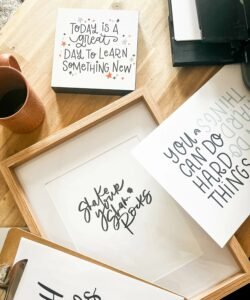
📄 Choosing the Right Paper (Because It Really Matters)
One of the easiest ways to make your printable look professional? Pick the right paper.
✦ For planners & trackers
-
Use 32 lb premium white paper — thick, no ink bleed, perfect for writing
-
Want to add flair? Try pastel-colored paper for section dividers
✦ For invitations & greeting cards
-
Choose 100 lb or 110 lb matte cardstock
-
For glossy finish, go with semi-gloss or photo cardstock
-
Always ask: “Can you cut them to size?” Most shops will!
✦ For wall art & quotes
-
Go with photo paper for high-vibrancy color
-
Prefer a matte look? Ask for presentation paper — less shine, same pop
-
For rustic or boho designs: try kraft paper or textured cardstock
✉️ Template: Message to Your Local Print Shop
No idea what to say when emailing or messaging a print shop? Here’s a no-stress template:
Subject: Custom Print Job — Canva/Creative Fabrica File
Hi [Shop Name],
I have a design file I’d love to print for personal use (created through Canva/Creative Fabrica). Could you please let me know if you offer printing for the following?
-
File type: PDF or PNG
-
Size: [e.g. 8.5×11″, 5×7″, etc.]
-
Paper: [e.g. 100 lb matte cardstock]
-
Quantity: [how many you need]
-
Color: Full color
-
Finishing: [e.g. cut to size, double-sided, laminated]
Let me know pricing and pickup timeline. Thanks so much!
Best,
[Your Name]
💡 Pro Tips for Beautiful Prints Every Time
-
Always upload as PDF (high quality) when possible — crisper lines
-
Choose “actual size” when printing — not fit-to-page
-
If you’re printing at home, use rear-feed manual slot for thick paper
-
Ask for a single proof before bulk printing (most shops offer one free!)
💌 Final Thought: Don’t Let a Printer Hold You Back
You don’t need a $300 machine to create something beautiful.
Creative Fabrica templates are designed to make life easier — whether you’re a new mom tracking naps, a host planning a shower, or a creator crafting something personal.
All you need is the right file, a little paper wisdom, and a local printer that can bring your design to life.
✨ Want to try it?
Start with these editable baby shower invitations. Customize them in Canva, then print them like a pro.